Private Cyber and information security lessons with AI
Cyber and information security with a live private lesson: the teacher talks with you out loud and explains on a shared board, moving at your pace through a clear plan, lesson after lesson.
Teacher: Noa
- Course updated 11/2026
- Hebrew, and 5 more languages
- 3 levels: Beginners · Intermediate · Advanced
- 36 lessons · about 19 hours of lessons
Cyber and information security
Cyber and information security with a live private lesson: the teacher talks with you out loud and explains on a shared board, moving at your pace through a clear plan, lesson after lesson.
12 lessons · 5 modules · Live private lesson with the teacher on the board
What you'll learn
- Foundations: Thinking About Security
- Identity and Authentication: Passwords and 2FA
- Phishing and Social Engineering
- Your Device: Updates, Malware and Backups
- Privacy and Online Safety
- Cryptography: Encryption and Hashing
- Networks and Secure Protocols
- Common Web Vulnerabilities (OWASP)
- Firewalls and Network Defense
- Thinking Like a Professional Defender
- Logs and Detection
- Security Incident Management
- Defensive Home Lab
- Cloud Security and Zero Trust
Related topics
What's included
- Live 1:1 lessons with an AI tutor on a shared board
- 19 hours of live one-on-one lessons
- 36 lessons on a shared board, each with a clear goal
- Practice and a understanding check in every lesson
- A summary after every lesson, saved in the history
- A completion certificate for each level
- Computer, tablet or phone
- Hebrew, plus 5 more languages
Course plan
3 levels · 14 modules · 36 lessons · 19 hr 25 min total
BeginnersBeginner: Protecting Yourself and Your Devices5 modules • 12 lessons • 6 hr 15 min
Foundations: Thinking About Security2 lessons • 1 hr
- 1What Are We Protecting? The CIA TriadTrial lessonabout 30 min
- 2Attacker Mindset and Defense in Depthabout 30 min
Identity and Authentication: Passwords and 2FA3 lessons • 1 hr 35 min
- 3Passwords: Why They Fail and How to Build Strong Onesabout 30 min
- 4Password Managers, 2FA and Passkeysabout 35 min
- 5Breached or Hacked Account: What to Doabout 30 min
Phishing and Social Engineering2 lessons • 1 hr 5 min
- 6Phishing: How It Works and Where to Stop Itabout 35 min
- 7Social Engineering Beyond Email: SMS, Calls, Social Mediaabout 30 min
Your Device: Updates, Malware and Backups3 lessons • 1 hr 30 min
- 8Updates and Permissions: Closing the Holesabout 30 min
- 9Malware: Types, Signs and Protectionabout 30 min
- 10Backups: The 3-2-1 Rule and Ransomware Defenseabout 30 min
Privacy and Online Safety2 lessons • 1 hr 5 min
- 11Privacy: Digital Footprint and What You Shareabout 30 min
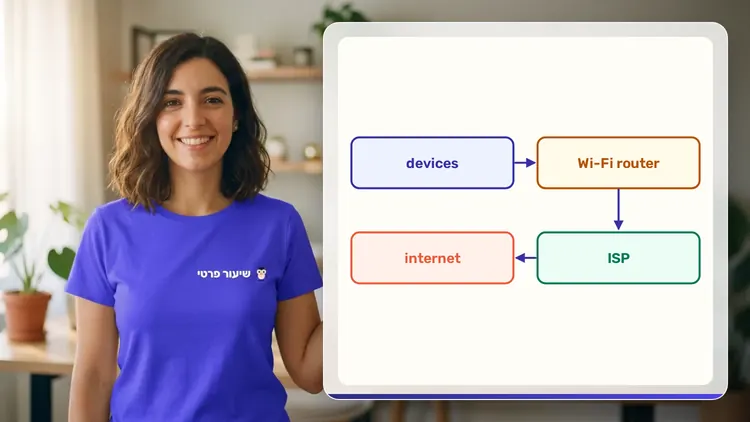
- 12Wi-Fi, Home Network and When to Get Helpabout 35 min
IntermediateIntermediate: Cryptography, Secure Protocols, Web Vulnerabilities and Firewalls4 modules • 12 lessons • 6 hr 45 min
Cryptography: Encryption and Hashing3 lessons • 1 hr 40 min
- 1Symmetric Encryption: One Shared Keyabout 30 min
- 2Asymmetric Encryption and Digital Signaturesabout 35 min
- 3Hashing and Proper Password Storageabout 35 min
Networks and Secure Protocols3 lessons • 1 hr 40 min
- 4Networking for Defenders: IP, Ports, TCP, DNSabout 35 min
- 5HTTPS and TLS: Behind the Browser Padlockabout 35 min
- 6Secure Protocols: SSH, VPN and Email Securityabout 30 min
Common Web Vulnerabilities (OWASP)4 lessons • 2 hr 15 min
- 7How Web Apps Work: Requests, Cookies, Sessionsabout 30 min
- 8Injection: When Data Becomes Codeabout 35 min
- 9XSS and CSRF: Attacks Through the Browserabout 35 min
- 10Access Control, Authentication and Misconfigurationabout 35 min
Firewalls and Network Defense2 lessons • 1 hr 10 min
- 11Firewalls: Rules, State and Default Denyabout 35 min
- 12Segmentation, DMZ, IDS/IPS and Defense in Depthabout 35 min
AdvancedAdvanced (Professional): Monitoring, Incident Response and Cloud Security5 modules • 12 lessons • 6 hr 25 min
Thinking Like a Professional Defender2 lessons • 1 hr
- 1Threat Modeling and Risk Managementabout 30 min
- 2MITRE ATT&CK and the Kill Chain for Defendersabout 30 min
Logs and Detection3 lessons • 1 hr 35 min
- 3Logs: Sources, Formats and What to Collectabout 30 min
- 4Log Analysis: Finding Anomalies in the Noiseabout 35 min
- 5SIEM and Detection Rules: From Log to Alertabout 30 min
Security Incident Management2 lessons • 1 hr 5 min
- 6The Incident Response Lifecycleabout 35 min
- 7Digital Evidence, Documentation and Reporting in Israelabout 30 min
Defensive Home Lab2 lessons • 1 hr
- 8Building an Isolated, Safe Home Lababout 30 min
- 9Hardening and Vulnerability Managementabout 30 min
Cloud Security and Zero Trust3 lessons • 1 hr 45 min
- 10Shared Responsibility and Cloud IAMabout 35 min
- 11Cloud Misconfigurations and Monitoringabout 30 min
- 12Zero Trust and Capstone: An End-to-End Incidentabout 40 min
What you need
- No prior knowledge needed for beginner level: the teacher checks what you already know and starts from there
- For higher levels: what you learned at the level before (you can skip it if you already know it)
- A computer, tablet or phone with a microphone, and a browser
How we learn Cyber and information security
Cybersecurity starts with defense: passwords, phishing, updates and backups, then moves on to encryption, secure protocols and common vulnerabilities. The teacher teaches security and defense only: concepts, protection and your own home lab, never attacking someone else's system.
A typical question: how does a website know your password is right if it doesn't store it? The teacher draws a hash function on the board and lets you guess why two similar passwords give totally different results. From there it's on to salt, and why a long password is better.
Who it's for
- Teens and adults who want to understand the subject in depth
More courses in this track
Your teacher
 NoaAI private tutor, in a live lesson on a shared board
A private AI teacher who teaches in a live conversation: asks, listens, draws on the board, and lets you solve it yourself with hints. Remembers what you've learned and starts each lesson where you left off.
What's a lesson like?
Your child talks with the teacher out loud, like a video call, and asks about anything unclear.
The teacher explains, writes and draws on a shared board, and your child solves along on the same board.
Snap a photo of a worksheet or homework and work through it, one problem at a time.
Parents get a report: study time, what went well and what needs more practice.
Lesson rules
- Just Learning
- Security and Defense Only
FAQ
- How does a private Cyber and information security lesson work?
- Pick Cyber and information security and a level, then talk with the teacher out loud. The teacher asks what you already know, explains, writes and draws on the board, and lets you solve on your own with hints until it's clear.
- How long does the Cyber and information security course take?
- 12 lessons of about 31 minutes at the first level, at your own pace. You can pause, go back, or skip what you already know.
- Do I need prior knowledge?
- Not for beginner level. At the start of the first lesson the teacher checks what you already know and adjusts the level, and you can jump straight to an advanced level.
- Does the teacher teach hacking?
- No. The teacher only teaches defense and security, and won't help access any system or account that isn't the learner's own.
- How do I start for free?
- Sign in with Google or a code sent to your email, enter your child's name and grade, and the lesson starts right away. Every family gets 45 free lesson minutes in any subject, counted by actual lesson time, with no credit card. Then choose a paid plan and cancel anytime.
- What device do I need?
- Any computer, tablet or phone with a browser and a microphone. You can also install the site as an app on your home screen.
Want to try it?
Sign in, enter your child's name and grade, and the lesson begins. 45 free lesson minutes, no credit card.
Start for freeShiur Prati with AI: what it is and how it works