Private DevOps lessons with AI
DevOps with a live private lesson: the teacher talks with you out loud and explains on a shared board, moving at your pace through a clear plan, lesson after lesson.
Teacher: Noa
- Course updated 11/2026
- Hebrew, and 5 more languages
- 3 levels: Beginners · Intermediate · Advanced
- 42 lessons · about 24 hours of lessons
DevOps
DevOps with a live private lesson: the teacher talks with you out loud and explains on a shared board, moving at your pace through a clear plan, lesson after lesson.
14 lessons · 4 modules · Live private lesson with the teacher on the board
What you'll learn
- What DevOps Is and How Code Reaches Production
- The Command Line and Linux
- Git and GitHub
- Servers, Networking and a First Deploy
- Containers and Docker
- CI/CD: The Automated Pipeline
- Infrastructure as Code: Terraform
- Monitoring, Logs and Alerts
- Kubernetes: From Mental Model to Debugging
- Zero-Downtime Delivery
- Supply Chain and Cluster Security
- SRE: Measured Reliability
Related topics
What's included
- Live 1:1 lessons with an AI tutor on a shared board
- 24 hours of live one-on-one lessons
- 42 lessons on a shared board, each with a clear goal
- Practice and a understanding check in every lesson
- A summary after every lesson, saved in the history
- A completion certificate for each level
- Computer, tablet or phone
- Hebrew, plus 5 more languages
Course plan
3 levels · 12 modules · 42 lessons · 23 hr 50 min total
BeginnersDevOps Beginner: Command Line, Git and Servers4 modules • 14 lessons • 7 hr 50 min
Mapped to exam: ללא מבחן חובה ברמה זו; ממופה ל־LFCA (Linux Foundation Certified IT Associate) ול־GitHub Foundations
What DevOps Is and How Code Reaches Production2 lessons • 1 hr
- 1What DevOps Is: The Wall Between Dev and OpsTrial lessonabout 30 min
- 2The Journey of a Commit to Productionabout 30 min
The Command Line and Linux5 lessons • 2 hr 45 min
- 3The Shell and the Linux Filesystemabout 30 min
- 4Users, Permissions and sudoabout 30 min
- 5Pipes, Redirection and Text Toolsabout 35 min
- 6Processes, Services and Logsabout 35 min
- 7First Bash Script and Environment Variablesabout 35 min
Git and GitHub3 lessons • 1 hr 45 min
- 8Git Inside: Working Tree, Staging and Commitsabout 35 min
- 9Branches, Merge and Conflictsabout 35 min
- 10GitHub: Remotes, Pull Requests and Code Reviewabout 35 min
Servers, Networking and a First Deploy4 lessons • 2 hr 20 min
- 11What a Server Is: Hardware, VMs and the Cloudabout 30 min
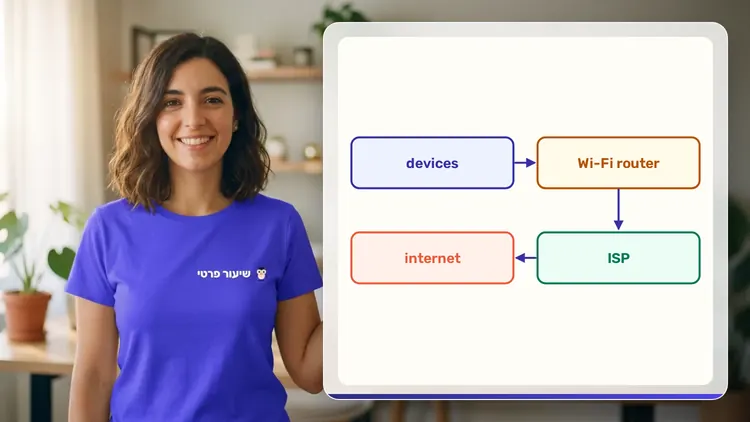
- 12Networking Basics: IP, Ports, DNS and HTTPabout 40 min
- 13SSH: Working Safely on a Remote Serverabout 30 min
- 14First Manual Deploy: From Commit to a Running Serverabout 40 min
IntermediateIntermediate: Containers, CI/CD, Infrastructure as Code and Monitoring4 modules • 14 lessons • 7 hr 45 min
Containers and Docker5 lessons • 2 hr 35 min
- 1What a Container Really Is: Image, Container and Isolationabout 30 min
- 2Dockerfile: Layers, Cache and Buildabout 35 min
- 3A Good Image: Multi-stage, Tags and Registryabout 30 min
- 4Container Networking, Volumes and Configurationabout 30 min
- 5Docker Compose: A Whole System in One Fileabout 30 min
CI/CD: The Automated Pipeline3 lessons • 1 hr 45 min
- 6First CI: A GitHub Actions Workflowabout 35 min
- 7Build, Tests and Artifacts: What the Pipeline Producesabout 35 min
- 8CD: Environments, Approvals and Rollbackabout 35 min
Infrastructure as Code: Terraform3 lessons • 1 hr 40 min
- 9Why IaC, and First Terraform: Plan and Applyabout 35 min
- 10State, Variables and Modulesabout 35 min
- 11IaC in a Team: Terraform in CI, Drift and Ansibleabout 30 min
Monitoring, Logs and Alerts3 lessons • 1 hr 45 min
- 12Metrics: Prometheus, PromQL and Grafanaabout 35 min
- 13Logs and Traces: What Happened and Whereabout 30 min
- 14Alerts and Troubleshooting: A Commit's Path to Productionabout 40 min
AdvancedAdvanced (Professional): Kubernetes, Zero-Downtime Delivery, Supply Chain Security and SRE4 modules • 14 lessons • 8 hr 15 min
Mapped to exam: CKA / CKAD / KCSA (CNCF) — Kubernetes
Kubernetes: From Mental Model to Debugging6 lessons • 3 hr 35 min
- 1Why Kubernetes: Desired State, Control Plane and Nodesabout 35 min
- 2Pods, ReplicaSets and Deploymentsabout 35 min
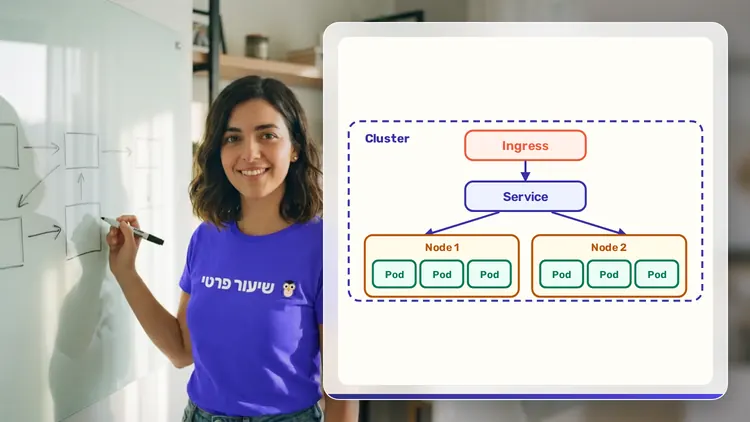
- 3Kubernetes Networking: Services, DNS and Ingressabout 35 min
- 4Config and Data: ConfigMaps, Secrets, PVCs and StatefulSetsabout 35 min
- 5Resources, Probes and Autoscalingabout 35 min
- 6Cluster Troubleshooting: From Pending to CrashLoopBackOffabout 40 min
Zero-Downtime Delivery3 lessons • 1 hr 40 min
- 7Helm and GitOps: The Pipeline Meets the Clusterabout 35 min
- 8Deployment Strategies: Rolling, Blue-Green and Canaryabout 35 min
- 9Database Migrations and Feature Flagsabout 30 min
Supply Chain and Cluster Security3 lessons • 1 hr 45 min
- 10Supply Chain: SLSA, Dependencies and SBOMabout 35 min
- 11Signing, Provenance and Pipeline Secretsabout 35 min
- 12Cluster Hardening: RBAC, NetworkPolicy and Pod Securityabout 35 min
SRE: Measured Reliability2 lessons • 1 hr 15 min
- 13SLIs, SLOs and Error Budgetsabout 35 min
- 14Incidents, Blameless Postmortems, and Commit-to-Productionabout 40 min
What you need
- No prior knowledge needed for beginner level: the teacher checks what you already know and starts from there
- For higher levels: what you learned at the level before (you can skip it if you already know it)
- A computer, tablet or phone with a microphone, and a browser
How we learn DevOps
DevOps is how code gets from a developer's computer to the server, safely and automatically. The teacher draws the pipeline on the board, from Git through build and tests to deployment, and explains every stage: Docker, CI/CD, Terraform, monitoring and Kubernetes.
A typical question: why does the app work on my machine but not on the server? The teacher sketches two computers with different library versions and asks what would help package everything together. That leads to containers, and you write a short Dockerfile line by line.
Who it's for
- Adults: for work, study, an exam, or just curiosity
Exams and certifications
- Beginners: ללא מבחן חובה ברמה זו; ממופה ל־LFCA (Linux Foundation Certified IT Associate) ול־GitHub Foundations
- Advanced: CKA / CKAD / KCSA (CNCF) — Kubernetes
More courses in this track
Your teacher
 NoaAI private tutor, in a live lesson on a shared board
A private AI teacher who teaches in a live conversation: asks, listens, draws on the board, and lets you solve it yourself with hints. Remembers what you've learned and starts each lesson where you left off.
What's a lesson like?
Your child talks with the teacher out loud, like a video call, and asks about anything unclear.
The teacher explains, writes and draws on a shared board, and your child solves along on the same board.
Snap a photo of a worksheet or homework and work through it, one problem at a time.
Parents get a report: study time, what went well and what needs more practice.
Lesson rules
- Just Learning
FAQ
- How does a private DevOps lesson work?
- Pick DevOps and a level, then talk with the teacher out loud. The teacher asks what you already know, explains, writes and draws on the board, and lets you solve on your own with hints until it's clear.
- How long does the DevOps course take?
- 14 lessons of about 34 minutes at the first level, at your own pace. You can pause, go back, or skip what you already know.
- Do I need prior knowledge?
- Not for beginner level. At the start of the first lesson the teacher checks what you already know and adjusts the level, and you can jump straight to an advanced level.
- Is this good prep for a job interview?
- Yes. The teacher explains the concepts that come up in interviews, asks interview-style questions and checks your explanation, not just your answer.
- How do I start for free?
- Sign in with Google or a code sent to your email, enter your child's name and grade, and the lesson starts right away. Every family gets 45 free lesson minutes in any subject, counted by actual lesson time, with no credit card. Then choose a paid plan and cancel anytime.
- What device do I need?
- Any computer, tablet or phone with a browser and a microphone. You can also install the site as an app on your home screen.
Want to try it?
Sign in, enter your child's name and grade, and the lesson begins. 45 free lesson minutes, no credit card.
Start for freeShiur Prati with AI: what it is and how it works