Private Cloud computing lessons with AI
Cloud computing with a live private lesson: the teacher talks with you out loud and explains on a shared board, moving at your pace through a clear plan, lesson after lesson.
Teacher: Noa
- Course updated 11/2026
- Hebrew, and 5 more languages
- 3 levels: Beginners · Intermediate · Advanced
- 36 lessons · about 20 hours of lessons
Cloud computing
Cloud computing with a live private lesson: the teacher talks with you out loud and explains on a shared board, moving at your pace through a clear plan, lesson after lesson.
12 lessons · 4 modules · Live private lesson with the teacher on the board
What you'll learn
- What the Cloud Is and Why Move to It
- Service Models and Who Is Responsible
- Global Infrastructure and Availability
- The Pricing Model and a First Design
- Cloud Networking
- Compute and Storage
- Identity and Access Management
- Managed Databases
- Containers and Serverless
- Resilient Architecture
- Production Cloud Security
- Cost Optimization and Automation
- Multi-Cloud and Capstone
Related topics
What's included
- Live 1:1 lessons with an AI tutor on a shared board
- 20 hours of live one-on-one lessons
- 36 lessons on a shared board, each with a clear goal
- Practice and a understanding check in every lesson
- A summary after every lesson, saved in the history
- A completion certificate for each level
- Computer, tablet or phone
- Hebrew, plus 5 more languages
Course plan
3 levels · 13 modules · 36 lessons · 20 hr total
BeginnersCloud Computing — Beginner: What the Cloud Is and How It Is Built4 modules • 12 lessons • 6 hr 25 min
What the Cloud Is and Why Move to It3 lessons • 1 hr 30 min
- 1What Is the Cloud: NIST's Five CharacteristicsTrial lessonabout 30 min
- 2Cloud Economics: CapEx vs. OpExabout 30 min
- 3Deployment Models: Public, Private, Hybridabout 30 min
Service Models and Who Is Responsible3 lessons • 1 hr 35 min
- 4IaaS, PaaS and SaaS: What You Get, What You Manageabout 35 min
- 5The Shared Responsibility Modelabout 30 min
- 6The Big Three: AWS, Azure and Google Cloudabout 30 min
Global Infrastructure and Availability3 lessons • 1 hr 40 min
- 7Regions, Availability Zones and Edgeabout 35 min
- 8Availability, SLA and the 'Nines'about 30 min
- 9Building Blocks: Compute, Storage, Network, Identityabout 35 min
The Pricing Model and a First Design3 lessons • 1 hr 40 min
- 10Pricing Models: On-Demand, Reserved and Spotabout 30 min
- 11What Drives the Bill: Calculators, Budgets, Tagsabout 30 min
- 12Capstone: A Highly Available, Costed Web Appabout 40 min
IntermediateIntermediate: Cloud Building Blocks in Depth5 modules • 12 lessons • 6 hr 50 min
Mapped to exam: AWS Solutions Architect Associate (SAA-C03) / Azure Administrator (AZ-104) / Google Associate Cloud Engineer
Cloud Networking3 lessons • 1 hr 45 min
- 1VPC, Subnets and CIDR: Planning a Private Networkabout 35 min
- 2Routing, NAT and Security Groupsabout 35 min
- 3Load Balancers and DNS: Reaching the Appabout 35 min
Compute and Storage3 lessons • 1 hr 40 min
- 4Virtual Machines and Block Storageabout 35 min
- 5Auto Scaling: Growing and Shrinking Automaticallyabout 30 min
- 6Object and File Storageabout 35 min
Identity and Access Management2 lessons • 1 hr 5 min
- 7IAM: Users, Groups and Policiesabout 35 min
- 8Roles and Least Privilege for Workloadsabout 30 min
Managed Databases2 lessons • 1 hr 10 min
- 9Managed Relational Databasesabout 35 min
- 10NoSQL and Choosing the Right Databaseabout 35 min
Containers and Serverless2 lessons • 1 hr 10 min
- 11Containers in the Cloudabout 35 min
- 12Serverless: Functions and Eventsabout 35 min
AdvancedCloud Computing — Advanced (Professional): Production-Grade Architecture4 modules • 12 lessons • 6 hr 45 min
Resilient Architecture4 lessons • 2 hr 10 min
- 1Well-Architected: Six Pillars and Trade-offsabout 30 min
- 2High Availability: Multi-AZ and Single Points of Failureabout 35 min
- 3Disaster Recovery: RPO, RTO and Four Strategiesabout 35 min
- 4Observability: Metrics, Logs, Traces and SLOsabout 30 min
Production Cloud Security4 lessons • 2 hr 10 min
- 5Landing Zone: Multi-Account and Guardrailsabout 35 min
- 6Encryption and Secrets: KMS, Envelope, Secrets Managementabout 30 min
- 7Network Security and Threat Detectionabout 35 min
- 8Compliance and Privacy: Israeli Privacy Law and Data Residencyabout 30 min
Cost Optimization and Automation2 lessons • 1 hr 10 min
- 9FinOps: Cutting the Bill Without Hurting Reliabilityabout 35 min
- 10Infrastructure as Code: Terraform and GitOpsabout 35 min
Multi-Cloud and Capstone2 lessons • 1 hr 15 min
- 11Multi-Cloud and Hybrid: When It Is Worth the Costabout 35 min
- 12Capstone: Production Design Reviewabout 40 min
What you need
- No prior knowledge needed for beginner level: the teacher checks what you already know and starts from there
- For higher levels: what you learned at the level before (you can skip it if you already know it)
- A computer, tablet or phone with a microphone, and a browser
How we learn Cloud computing
Cloud computing sounds abstract until you draw it. The teacher builds a small architecture on the board: servers, storage, networking and permissions, and explains when to pick each service and how to keep the system available, secure and cost-efficient.
An example from a lesson: a website crashes every time traffic spikes. The teacher asks what happens with just one server, and the learner adds more servers, a load balancer and two availability zones on the board, then explains in their own words why it's more resilient.
Who it's for
- Adults: for work, study, an exam, or just curiosity
Exams and certifications
- Intermediate: AWS Solutions Architect Associate (SAA-C03) / Azure Administrator (AZ-104) / Google Associate Cloud Engineer
More courses in this track
Your teacher
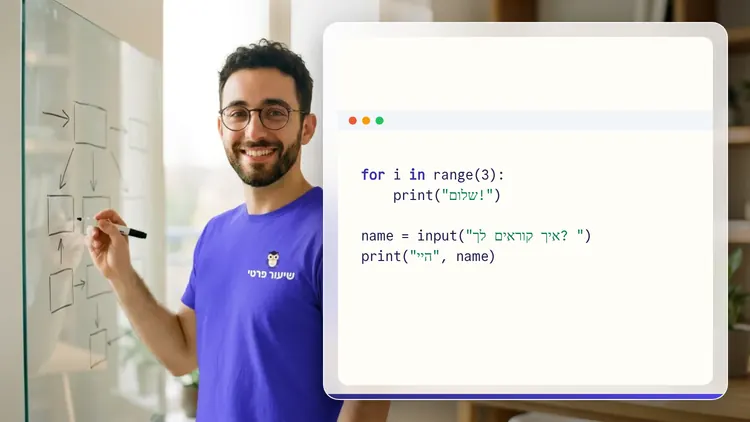
 NoaAI private tutor, in a live lesson on a shared board
A private AI teacher who teaches in a live conversation: asks, listens, draws on the board, and lets you solve it yourself with hints. Remembers what you've learned and starts each lesson where you left off.
What's a lesson like?
Your child talks with the teacher out loud, like a video call, and asks about anything unclear.
The teacher explains, writes and draws on a shared board, and your child solves along on the same board.
Snap a photo of a worksheet or homework and work through it, one problem at a time.
Parents get a report: study time, what went well and what needs more practice.
Lesson rules
- Just Learning
FAQ
- How does a private Cloud computing lesson work?
- Pick Cloud computing and a level, then talk with the teacher out loud. The teacher asks what you already know, explains, writes and draws on the board, and lets you solve on your own with hints until it's clear.
- How long does the Cloud computing course take?
- 12 lessons of about 32 minutes at the first level, at your own pace. You can pause, go back, or skip what you already know.
- Do I need prior knowledge?
- Not for beginner level. At the start of the first lesson the teacher checks what you already know and adjusts the level, and you can jump straight to an advanced level.
- Is it tied to a specific cloud provider?
- The ideas are shared across all clouds. If you're prepping for an AWS, Azure or Google Cloud certification, you'll find a separate course under test prep.
- How do I start for free?
- Sign in with Google or a code sent to your email, enter your child's name and grade, and the lesson starts right away. Every family gets 45 free lesson minutes in any subject, counted by actual lesson time, with no credit card. Then choose a paid plan and cancel anytime.
- What device do I need?
- Any computer, tablet or phone with a browser and a microphone. You can also install the site as an app on your home screen.
Want to try it?
Sign in, enter your child's name and grade, and the lesson begins. 45 free lesson minutes, no credit card.
Start for freeShiur Prati with AI: what it is and how it works