Private Git and GitHub lessons with AI
Git and GitHub with a live private lesson: the teacher talks with you out loud and explains on a shared board, moving at your pace through a clear plan, lesson after lesson.
Teacher: Noam
- Course updated 11/2026
- Hebrew, and 5 more languages
- 3 levels: Beginners · Intermediate · Advanced
- 35 lessons · about 18 hours of lessons
Git and GitHub
Git and GitHub with a live private lesson: the teacher talks with you out loud and explains on a shared board, moving at your pace through a clear plan, lesson after lesson.
11 lessons · 4 modules · Live private lesson with the teacher on the board
What you'll learn
- What Version Control Is and Getting Started
- Daily Workflow: status, add, commit
- History
- GitHub and push
- Branches: Pointers to Commits
- Merging and Conflicts
- Remote Branches and Pull Requests
- Rebase and Clean History
- Undoing Mistakes and Investigating History
- Team Workflows
- Tags and Releases
Related topics
What's included
- Live 1:1 lessons with an AI tutor on a shared board
- 18 hours of live one-on-one lessons
- 35 lessons on a shared board, each with a clear goal
- Practice and a understanding check in every lesson
- A summary after every lesson, saved in the history
- A completion certificate for each level
- Computer, tablet or phone
- Hebrew, plus 5 more languages
Course plan
3 levels · 11 modules · 35 lessons · 18 hr 5 min total
BeginnersGit & GitHub Beginner: From First Commit to Push4 modules • 11 lessons • 5 hr 20 min
Mapped to exam: GitHub Foundations (מבוא ל־Git ו־GitHub) — יסודות
What Version Control Is and Getting Started3 lessons • 1 hr 25 min
- 1Why Version Control?Trial lessonabout 25 min
- 2Terminal Basics and Git Setupabout 30 min
- 3git init and the Three Areasabout 30 min
Daily Workflow: status, add, commit4 lessons • 1 hr 50 min
- 4git status and git add: File Statesabout 30 min
- 5git commit and Good Commit Messagesabout 30 min
- 6git diff: Seeing Exactly What Changedabout 25 min
- 7.gitignore: What Not to Trackabout 25 min
History2 lessons • 55 min
- 8git log and git show: Reading Historyabout 30 min
- 9Fixing Before Commit: git restoreabout 25 min
GitHub and push2 lessons • 1 hr 10 min
- 10GitHub, Remotes and pushabout 35 min
- 11clone, pull and README: The Full Loopabout 35 min
IntermediateIntermediate: Branches, Merging, Pull Requests and Rebase4 modules • 12 lessons • 6 hr 15 min
Mapped to exam: GitHub Foundations (לא חובה) — Collaboration features
Branches: Pointers to Commits3 lessons • 1 hr 25 min
- 1What Is a Branch? Commits, Pointers and HEADabout 30 min
- 2git branch and git switch: Working on a Separate Branchabout 30 min
- 3git stash: Shelving Work to Switch Branchesabout 25 min
Merging and Conflicts3 lessons • 1 hr 35 min
- 4git merge: Fast-Forward vs Three-Way Mergeabout 30 min
- 5Merge Conflicts: Why They Happen and How They Lookabout 30 min
- 6Resolving a Conflict End to Endabout 35 min
Remote Branches and Pull Requests3 lessons • 1 hr 35 min
- 7Remote Branches: fetch, pull and push -uabout 30 min
- 8Pull Requests: Proposing Changes to mainabout 30 min
- 9Code Review, Updating a PR and Merge Optionsabout 35 min
Rebase and Clean History3 lessons • 1 hr 40 min
- 10git rebase: Replaying a Branch on a New Baseabout 30 min
- 11Interactive Rebase: Tidying Commits Before a PRabout 30 min
- 12Capstone: A Feature from Branch to Mergeabout 40 min
AdvancedGit & GitHub — Advanced (Professional)3 modules • 12 lessons • 6 hr 30 min
Mapped to exam: GitHub Foundations (תחומים רלוונטיים: Collaboration Features, Modern Development, Working with Repositories)
Undoing Mistakes and Investigating History5 lessons • 2 hr 35 min
- 1Inside .git: blobs, trees and commitsabout 30 min
- 2commit --amend and git revert: fixing safelyabout 30 min
- 3git reset: soft, mixed and hardabout 35 min
- 4git reflog: recovering lost commitsabout 30 min
- 5git bisect and git blame: hunting the bug-introducing commitabout 30 min
Team Workflows4 lessons • 2 hr 10 min
- 6GitHub Flow, Git Flow and trunk-based developmentabout 35 min
- 7Fork and upstream: contributing to open sourceabout 30 min
- 8Branch protection, CODEOWNERS and CI with GitHub Actionsabout 35 min
- 9cherry-pick and hotfixes: moving a single fixabout 30 min
Tags and Releases3 lessons • 1 hr 45 min
- 10git tag and Semantic Versioningabout 30 min
- 11GitHub Releases, Conventional Commits and CHANGELOGabout 35 min
- 12Capstone: from mistake to hotfix to releaseabout 40 min
What you need
- No prior knowledge needed for beginner level: the teacher checks what you already know and starts from there
- For higher levels: what you learned at the level before (you can skip it if you already know it)
- A computer, tablet or phone with a microphone, and a browser
Who it's for
- Teens and adults who want to understand the subject in depth
Exams and certifications
- Beginners: GitHub Foundations (מבוא ל־Git ו־GitHub) — יסודות
- Intermediate: GitHub Foundations (לא חובה) — Collaboration features
- Advanced: GitHub Foundations (תחומים רלוונטיים: Collaboration Features, Modern Development, Working with Repositories)
More courses in this track
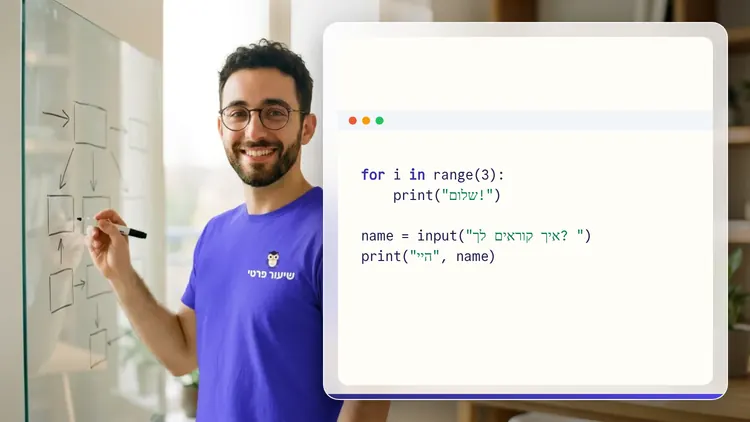
Your teacher
 NoamAI private tutor, in a live lesson on a shared board
A private AI teacher who teaches in a live conversation: asks, listens, draws on the board, and lets you solve it yourself with hints. Remembers what you've learned and starts each lesson where you left off.
What's a lesson like?
Your child talks with the teacher out loud, like a video call, and asks about anything unclear.
The teacher explains, writes and draws on a shared board, and your child solves along on the same board.
Snap a photo of a worksheet or homework and work through it, one problem at a time.
Parents get a report: study time, what went well and what needs more practice.
Lesson rules
- Just Learning
FAQ
- How does a private Git and GitHub lesson work?
- Pick Git and GitHub and a level, then talk with the teacher out loud. The teacher asks what you already know, explains, writes and draws on the board, and lets you solve on your own with hints until it's clear.
- How long does the Git and GitHub course take?
- 11 lessons of about 29 minutes at the first level, at your own pace. You can pause, go back, or skip what you already know.
- Do I need prior knowledge?
- Not for beginner level. At the start of the first lesson the teacher checks what you already know and adjusts the level, and you can jump straight to an advanced level.
- How do I start for free?
- Sign in with Google or a code sent to your email, enter your child's name and grade, and the lesson starts right away. Every family gets 45 free lesson minutes in any subject, counted by actual lesson time, with no credit card. Then choose a paid plan and cancel anytime.
- What device do I need?
- Any computer, tablet or phone with a browser and a microphone. You can also install the site as an app on your home screen.
Want to try it?
Sign in, enter your child's name and grade, and the lesson begins. 45 free lesson minutes, no credit card.
Start for freeShiur Prati with AI: what it is and how it works