Private HTML and CSS lessons with AI
HTML and CSS with a live private lesson: the teacher talks with you out loud and explains on a shared board, moving at your pace through a clear plan, lesson after lesson.
Teacher: Noa
- Course updated 11/2026
- Hebrew, and 5 more languages
- 3 levels: Beginners · Intermediate · Advanced
- 36 lessons · about 20 hours of lessons
HTML and CSS
HTML and CSS with a live private lesson: the teacher talks with you out loud and explains on a shared board, moving at your pace through a clear plan, lesson after lesson.
12 lessons · 3 modules · Live private lesson with the teacher on the board
What you'll learn
- HTML Page Structure
- Links, Images, Lists and Containers
- CSS: Color, Fonts and the Cascade
- The Box and the Flow
- Flexbox
- CSS Grid
- Forms
- Semantic HTML and Accessibility
- Professional Responsive Design
- CSS Variables, Advanced Selectors and Architecture
- Motion and Animation
- Production Project
Related topics
What's included
- Live 1:1 lessons with an AI tutor on a shared board
- 20 hours of live one-on-one lessons
- 36 lessons on a shared board, each with a clear goal
- Practice and a understanding check in every lesson
- A summary after every lesson, saved in the history
- A completion certificate for each level
- Computer, tablet or phone
- Hebrew, plus 5 more languages
Course plan
3 levels · 12 modules · 36 lessons · 19 hr 35 min total
BeginnersHTML & CSS Beginner: Your First Web Page3 modules • 12 lessons • 6 hr 20 min
HTML Page Structure3 lessons • 1 hr 30 min
- 1What a Web Page Is: Tags, Elements, AttributesTrial lessonabout 30 min
- 2Page Skeleton: doctype, head, body and RTLabout 30 min
- 3Headings, Paragraphs and Text Markupabout 30 min
Links, Images, Lists and Containers4 lessons • 2 hr
- 4Links and File Pathsabout 30 min
- 5Images: src, alt and Formatsabout 30 min
- 6Lists and Simple Tablesabout 30 min
- 7div, span, class and id: Preparing for Stylingabout 30 min
CSS: Color, Fonts and the Cascade5 lessons • 2 hr 50 min
- 8Linking CSS and Basic Selectorsabout 30 min
- 9CSS Colors: Names, hex, rgb, hslabout 30 min
- 10Fonts and Text: Family, Size, Weight, Spacingabout 35 min
- 11The Cascade: Specificity, Inheritance, Orderabout 35 min
- 12Capstone: Styled Profile Page and Fixing a Broken Oneabout 40 min
IntermediateIntermediate: Page Layout – Box Model, Flexbox, Grid and Forms4 modules • 12 lessons • 6 hr 40 min
Mapped to exam: ללא מבחן רשמי; היעד: לחזות את הפריסה שקטע CSS קצר יוצר ולתקן פריסה שבורה (לפי מבנה freeCodeCamp Responsive Web Design).
The Box and the Flow4 lessons • 2 hr 5 min
- 1The Box Modelabout 30 min
- 2Sizing and Unitsabout 30 min
- 3Display and Normal Flowabout 30 min
- 4Positioning and z-indexabout 35 min
Flexbox3 lessons • 1 hr 40 min
- 5Flexbox Axes and Alignmentabout 35 min
- 6Flex Wrap, Gap and Flexible Sizingabout 35 min
- 7Flexbox Patterns and Debuggingabout 30 min
CSS Grid2 lessons • 1 hr 10 min
- 8Grid Tracks, fr and Line Placementabout 35 min
- 9Grid Areas, minmax and Choosing Grid vs Flexabout 35 min
Forms3 lessons • 1 hr 45 min
- 10Form Basicsabout 30 min
- 11More Controls and Built-in Validationabout 35 min
- 12Styling Forms – Capstone Registration Pageabout 40 min
AdvancedAdvanced HTML & CSS: Semantics, Responsive Design, Variables and Animation5 modules • 12 lessons • 6 hr 35 min
Semantic HTML and Accessibility2 lessons • 1 hr 5 min
- 1Semantic HTML: Landmarks and Document Outlineabout 30 min
- 2Accessibility: Keyboard, Focus, Alt Text and ARIAabout 35 min
Professional Responsive Design3 lessons • 1 hr 40 min
- 3Mobile-First: Viewport and Media Queriesabout 35 min
- 4Responsive Images: srcset, sizes and pictureabout 30 min
- 5Fluid Layout: clamp(), min/max and Container Queriesabout 35 min
CSS Variables, Advanced Selectors and Architecture4 lessons • 2 hr 5 min
- 6CSS Custom Properties and Design Tokensabout 30 min
- 7Theming: Dark Mode and prefers-color-schemeabout 30 min
- 8Advanced Selectors: Pseudo-classes, Pseudo-elements and :has()about 35 min
- 9CSS Architecture: BEM, Cascade Layers and Specificity Controlabout 30 min
Motion and Animation2 lessons • 1 hr 5 min
- 10Transitions and Transformsabout 30 min
- 11Keyframe Animations, Performance and Reduced Motionabout 35 min
Production Project1 lesson • 40 min
- 12Capstone: Production Landing Page and Quality Auditabout 40 min
What you need
- No prior knowledge needed for beginner level: the teacher checks what you already know and starts from there
- For higher levels: what you learned at the level before (you can skip it if you already know it)
- A computer, tablet or phone with a microphone, and a browser
Who it's for
- Any age: the teacher adjusts the explanation to the learner
Exams and certifications
- Intermediate: ללא מבחן רשמי; היעד: לחזות את הפריסה שקטע CSS קצר יוצר ולתקן פריסה שבורה (לפי מבנה freeCodeCamp Responsive Web Design).
More courses in this track
Your teacher
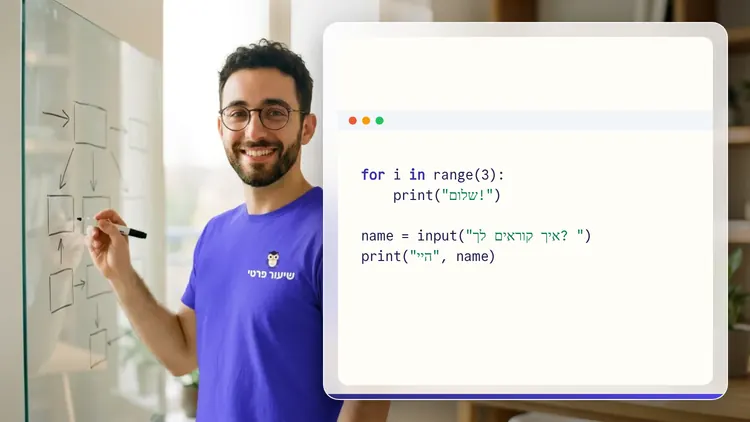
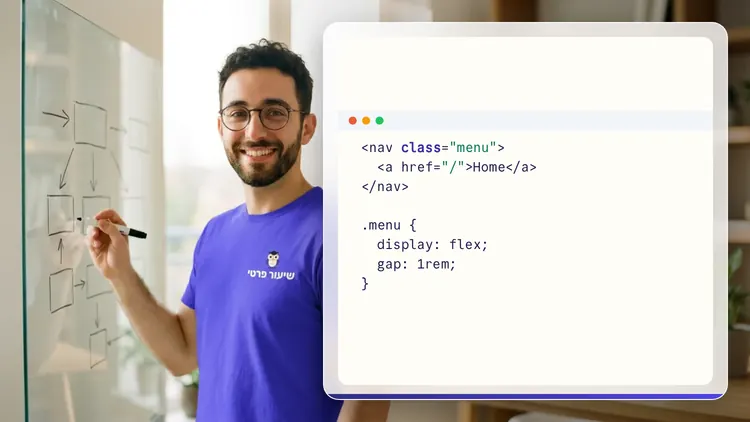
 NoaAI private tutor, in a live lesson on a shared board
A private AI teacher who teaches in a live conversation: asks, listens, draws on the board, and lets you solve it yourself with hints. Remembers what you've learned and starts each lesson where you left off.
What's a lesson like?
Your child talks with the teacher out loud, like a video call, and asks about anything unclear.
The teacher explains, writes and draws on a shared board, and your child solves along on the same board.
Snap a photo of a worksheet or homework and work through it, one problem at a time.
Parents get a report: study time, what went well and what needs more practice.
Lesson rules
- Just Learning
FAQ
- How does a private HTML and CSS lesson work?
- Pick HTML and CSS and a level, then talk with the teacher out loud. The teacher asks what you already know, explains, writes and draws on the board, and lets you solve on your own with hints until it's clear.
- How long does the HTML and CSS course take?
- 12 lessons of about 32 minutes at the first level, at your own pace. You can pause, go back, or skip what you already know.
- Do I need prior knowledge?
- Not for beginner level. At the start of the first lesson the teacher checks what you already know and adjusts the level, and you can jump straight to an advanced level.
- How do I start for free?
- Sign in with Google or a code sent to your email, enter your child's name and grade, and the lesson starts right away. Every family gets 45 free lesson minutes in any subject, counted by actual lesson time, with no credit card. Then choose a paid plan and cancel anytime.
- What device do I need?
- Any computer, tablet or phone with a browser and a microphone. You can also install the site as an app on your home screen.
Want to try it?
Sign in, enter your child's name and grade, and the lesson begins. 45 free lesson minutes, no credit card.
Start for freeShiur Prati with AI: what it is and how it works